By Hub Virtual Assist
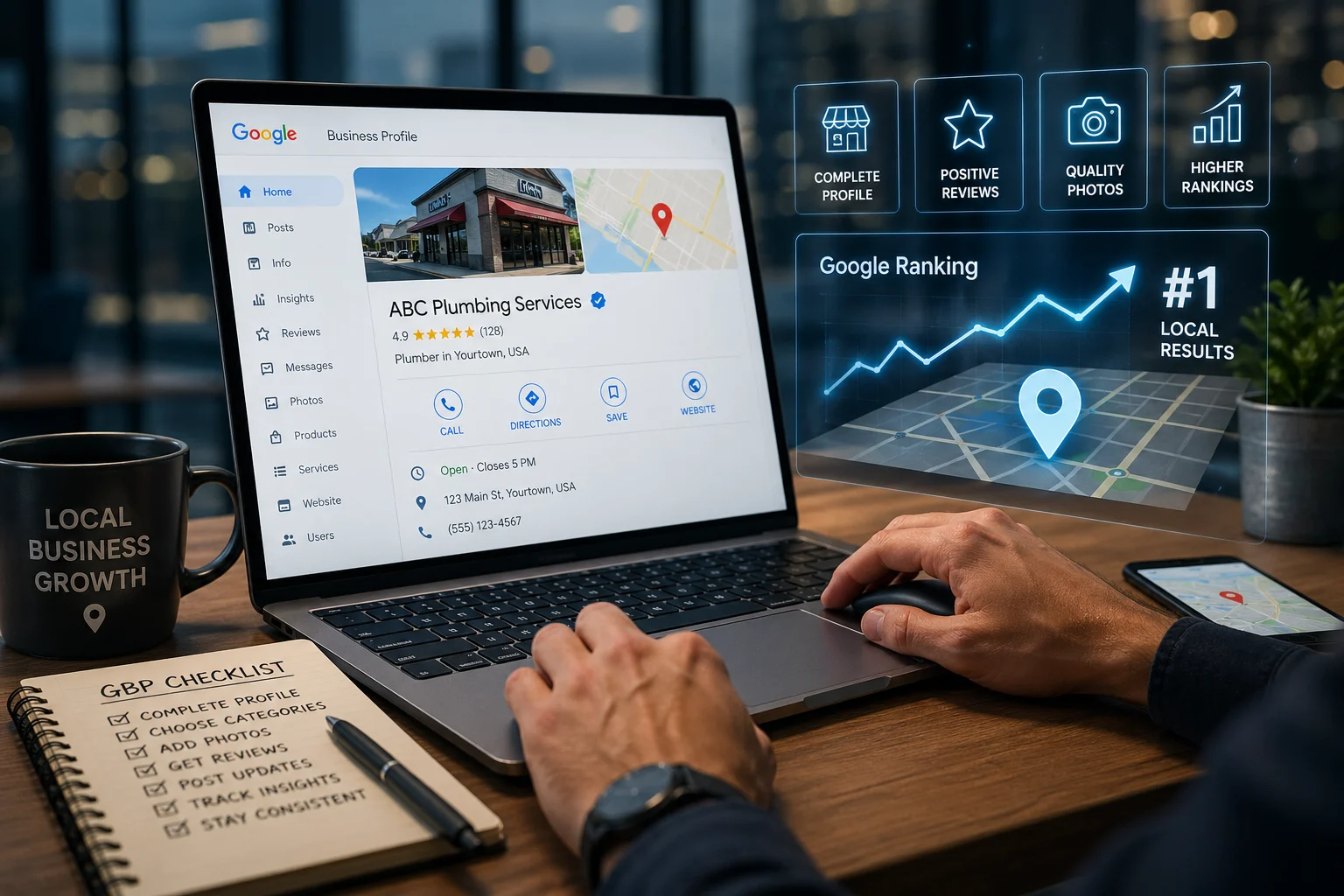
Your Google Business Profile is the first thing potential customers see when they search for services near them. Before they ever visit your website, they’re already judging you based on your GBP — your photos, reviews, hours, and how complete your listing looks. A half-finished profile is costing you calls right now.
This is where a solid local SEO strategy pays off — and your GBP is the foundation of it. This guide walks you through a complete, actionable GBP checklist — 8 specific steps to optimize your Google Business Profile and start climbing the Google ranking in 2026.
If you’d rather skip the DIY route, the team at Hub Virtual Assist handles GBP optimization for local service businesses every day. Reach us at (601) 281-8482 or admin@hubvirtual.net.
Step 1: Complete Every Section of Your Profile
Think of your GBP like a job application. An incomplete application gets tossed. Google operates the same way — profiles with missing information rank lower and convert worse.
Here’s what needs to be filled in:
- Business name — use your real, legal business name. No keyword stuffing.
- Address and service area — list your physical address if you have one, plus the cities and ZIP codes you actually serve.
- Phone number — use a local number when possible. Tracking numbers are fine if they forward correctly.
- Website URL — link to your main site or a specific landing page.
- Business hours — include holiday hours when relevant. Outdated hours destroy trust instantly.
- Services — list every service you offer. Don’t skip this. Google uses this data to match you to searches.
- Business description — write 250–750 characters describing what you do, who you serve, and what sets you apart. Include your primary keyword naturally.
- GBP attributes — these are the checkboxes you don’t think about: “women-owned,” “veteran-led,” “online estimates available,” “wheelchair accessible.” Attributes improve relevance matching.
Quick rule: If Google gives you a field to fill in, fill it in. A complete profile signals legitimacy.
Step 2: Choose the Right Categories
Category selection is one of the highest-leverage moves in GBP optimization. Get this wrong and Google will show your profile to the wrong people — or not at all.
Primary category — this is the most important choice you’ll make. Pick the single category that best describes your core service. For a plumber, that’s “Plumber.” Not “Contractor,” not “Home Services.” Be specific.
Secondary categories — you can add multiple supporting categories. A plumbing company might add “Water Heater Installation Service,” “Drain Cleaning Service,” and “Sewer Service.” Each one expands the range of searches you can appear for.
A few GBP categories selection tips:
- Start typing your service type into the GBP category field and look at what Google suggests. Those suggestions are based on actual search behavior.
- Don’t pad your categories with unrelated services. If you do HVAC but it’s 5% of your business, don’t list it as a secondary category — it dilutes your relevance signal.
- Check what categories your top local competitors are using. You don’t need to copy them, but it tells you what Google’s already rewarding.
Step 3: Add High-Quality Photos and Videos
Photos matter more than most business owners realize. Profiles with photos get significantly more direction requests and website clicks than those without. This is not a “nice to have.”
What to upload:
- Exterior photos — your storefront, service vehicles, branded trailers. Help customers recognize you on arrival.
- Interior photos — your shop, office, or workspace if customers visit.
- Team photos — real photos of real people build more trust than stock images.
- Work photos — before-and-after shots of completed jobs. For a roofer, that’s shingles being replaced. For a pest control company, that’s a treated perimeter and a clean crawl space.
- Product photos — if you sell equipment or products alongside services.
Best practices for Google Business Profile photos:
- Minimum resolution: 720 × 720 pixels. Higher is better.
- Use natural lighting when possible.
- Upload at least 10 photos to start, then add new ones monthly.
- Name your photo files descriptively before uploading (e.g., drain-cleaning-jacksonville-fl.jpg). This may provide a minor relevance signal.
- Short videos under 30 seconds showing your team at work perform well.
Do photos affect local ranking? Not as a direct ranking factor, but through engagement signals. More photos lead to more profile views, more clicks, and stronger behavioral signals to Google.
Step 4: Collect and Respond to Reviews
Reviews are the backbone of local SEO. Google uses review quantity, quality, and recency as direct ranking signals. More importantly, a business with 80 four-star reviews wins customers over one with 12 five-star reviews almost every time.
How to get more reviews:
- Ask at the moment of highest satisfaction — right after the job is done and the customer is happy.
- Send a direct review link via text. Don’t make customers hunt for it.
- Train your technicians or front-line staff to make the ask personally. “We really appreciate it if you’d leave us a Google review” works.
- Add your review link to invoices, receipts, and email signatures.
How to respond:
Reply to every review — positive and negative. For positive reviews, thank the customer by name and mention the service performed. For negative reviews, stay professional, acknowledge the issue, and offer to resolve it offline. Never argue publicly.
A good positive review response looks like this: “Thanks so much, Maria — glad we could get that water heater replaced before the weekend. Don’t hesitate to reach out if you need anything else.”
Step 5: Use GBP Posts Strategically
Most businesses ignore GBP posts entirely. That’s a missed opportunity. Posts show up directly in your business panel on Google Search and Maps — free real estate that most competitors aren’t using.
Post types and when to use them:
- Updates — share news, seasonal reminders, or helpful tips. “Getting your AC tuned up before summer? We’re booking fast.”
- Offers — promote a seasonal discount or a new customer deal.
- Events — if you host workshops, community events, or open houses.
GBP posts strategy for service businesses:
- Post at least once every 7 days. Posts older than 7 days drop out of the active display.
- Keep posts under 150 words. Customers are scanning, not reading.
- Add a photo to every post — posts with images get more engagement.
- Include a clear CTA: “Call to schedule,” “Book online,” “Get a free estimate.”
Need help keeping your posts consistent? Hub Virtual Assist offers GBP management services that include ongoing post creation and scheduling. Call us at (601) 281-8482 or visit hubvirtual.net to learn more.
Step 6: Build Out Your Services and Products Section
The Services section is where most service businesses leave money on the table. This isn’t a summary — it’s a database Google uses to match your business to service-specific searches.
For each service, add:
- A clear service name (e.g., “Water Heater Repair,” “Emergency Drain Cleaning”)
- A description of 200–300 characters
- A price or price range if applicable
Don’t just list categories. Break your services into individual line items. A plumbing company shouldn’t have one entry called “Plumbing.” They should have “Toilet Repair,” “Water Heater Installation,” “Slab Leak Detection,” and “Sewer Line Replacement” — each as its own entry.
This is one of the fastest ways to improve how to rank in Google Maps for specific service terms.
Step 7: Optimize Your Q&A Section
The Q&A section on your GBP is publicly visible — and editable by anyone. If you’re not populating it yourself, customers or competitors might be.
The smart move: seed your own questions and answer them. Log in, ask the most common questions your customers have, then answer them clearly from your business account.
Good questions to add:
- “Do you offer free estimates?”
- “How soon can you come out for an emergency?”
- “Are you licensed and insured?”
- “Do you offer financing?”
- “What areas do you serve?”
This is one of the most underused GBP Q&A optimization tactics around. It reduces friction for undecided customers and gives Google more relevant content to index.
Step 8: Monitor Insights and Keep Your Profile Active
Optimization isn’t a one-time task. Google rewards active profiles — and quietly penalizes neglected ones through ranking drops.
What to check monthly:
- Profile views and search queries — what terms are people using to find you? According to industry research on local search ranking factors, visibility in these searches is heavily influenced by relevance, distance, and prominence.
- Direction requests — are people finding your location?
- Photo views vs. competitor benchmarks
- Review count and average rating trends
- Any suggested edits from users (Google notifies you — always verify before accepting)
What to update regularly:
- Business hours, especially around holidays
- Photos — add new job photos consistently
- Posts — keep them fresh and current
- Services — add new offerings as your business grows
If you want help managing this ongoing process, our GBP management service handles the monthly upkeep so you can focus on running your business.
Frequently Asked Questions
How often should I update my Google Business Profile?
Review your GBP at least once a month. Post updates weekly, add new photos every 2–4 weeks, and immediately update any changes to hours, phone numbers, or services.
Do photos affect local ranking on Google?
Photos don’t directly boost rankings the way reviews or categories do, but they improve engagement — click-through rates, direction requests, website visits — and those behavioral signals influence how Google ranks your profile over time.
What categories matter most for GBP?
Your primary category matters most. It’s the single strongest signal Google uses to determine what searches to show you for. Get that right first, then layer in specific secondary categories that match your actual service offerings.
Should I reply to every Google review?
Yes. Responding to reviews signals to Google that you’re an engaged, active business. It also tells prospective customers you care — which influences their decision to call. Reply to both positive and negative reviews.
How soon do changes reflect in Google Maps after I update my profile?
Most changes — hours, phone numbers, descriptions — show up within a few hours to a couple of days. Category changes and new business information may take up to a week to propagate fully across Search and Maps.
What should I write in my Google Business Profile description?
Write 250–750 characters describing what you do, who you serve, and what makes you different. Include your primary service and location naturally. Don’t keyword-stuff — write it the way you’d explain your business to someone you just met.
Can anyone edit my Google Business Profile?
Anyone can suggest edits, and Google sometimes applies them automatically. Check your profile monthly for unwanted changes. Actively managing your profile is the best protection against unauthorized edits.
Is a complete GBP checklist enough to rank in the local pack?
Profile optimization is one of three core local ranking factors — alongside proximity and prominence (which includes reviews, backlinks, and overall domain authority). A fully optimized profile puts you in the best position to compete, but it works alongside your broader local SEO strategy.
Ready to Dominate the Local Pack?

Your GBP is one of the most powerful free marketing tools available to local service businesses — but only if it’s set up correctly and maintained consistently.
Download the GBP Optimization Checklist — a one-page reference you can run through every month to make sure your profile stays sharp.
Or if you’d rather hand this off to a team that does it every day:
Hub Virtual Assist 📞 (601) 281-8482 ✉️ admin@hubvirtual.net 🌐 hubvirtual.net 📍 6001-21 Argyle Forest Blvd. #352, Jacksonville, FL 32244
Contact Us for GBP Optimization Help — no long-term contracts, real results for local service businesses.