By Hub Virtual Assist
Trusted by local service businesses nationwide | Proven CRO frameworks | Built for lead generation | Ongoing support included
Most local business websites aren’t losing traffic — they’re losing leads. Someone searches “plumber near me” at 10 PM, clicks your site, and leaves without calling. That’s not an SEO problem. That’s a conversion problem.
Website conversion optimization for local businesses is about one thing: turning the visitors already landing on your site into phone calls, form submissions, and booked appointments. You don’t need more traffic to grow — you need to stop leaking the traffic you already have.
Here are six strategies we use to do exactly that.
1. Audit and Track Conversion Metrics First
Before you change a single button or rewrite a headline, you need to know what’s actually happening on your site. Optimization without data is just guessing.
Set up tracking for every lead action that matters:
- Phone calls — Use call tracking software (CallRail is a solid option) to know which pages drive calls and which don’t.
- Form submissions — Track every form fill as a goal in Google Analytics 4 or your CRM.
- Booking/appointment clicks — If you use an online scheduler, confirm that clicks are being tracked.
- Direction requests — These signal high purchase intent, especially for brick-and-mortar service businesses.
- Live chat initiations — If you have a chat widget, it’s a lead source. Track it.
Once you have 30–60 days of baseline data, you’ll see which pages get traffic but no leads. Those are your highest-priority CRO targets — not your homepage, not your about page.
Quick action: Pull your top 5 traffic pages in Google Search Console. Check if each one has a measurable lead action tied to it. If not, that’s your starting list.
2. Speed & Mobile-First UX for Local Visitors
Most local traffic is mobile. A homeowner searching for a roofer at 7 AM isn’t at a desktop — they’re on a phone, probably with one bar of signal, and they’ll leave your site in under three seconds if it doesn’t load fast.
Page speed directly affects conversion rates. A one-second delay in load time can reduce conversions by 7%. For local businesses where a single job can mean $800–$5,000 in revenue, that’s significant.
Speed essentials for local websites:
- Compress and properly size all images (WebP format when possible)
- Use a caching plugin if you’re on WordPress
- Host with a quality provider — cheap shared hosting kills speed
- Remove unused plugins and third-party scripts that add load time
Mobile UX rules that actually matter:
- Phone numbers must be click-to-call. Every single one.
- CTAs need to be thumb-reachable — don’t bury them in the top-right corner
- Avoid pop-ups that cover the full screen on mobile entry
- Forms should have large input fields with auto-fill support
Check your mobile score in Google PageSpeed Insights. If it’s under 70, speed is your first priority before any other optimization. A mobile-first local website isn’t optional — it’s table stakes.
3. Clear, Action-Focused Calls to Action
Vague CTAs don’t convert. “Contact us” is not a call to action. It’s a suggestion. Local business visitors need to be told exactly what to do and why to do it right now.
The best-performing call to action language for local businesses is specific and tied to a tangible outcome:
- “Call Now for a Free Estimate”
- “Get a Quote in Under 24 Hours”
- “Book Your Service Appointment Today”
- “Request Emergency Service — We Answer 24/7”
CTA placement rules:
- Above the fold on every service page (visible without scrolling)
- After any section that explains a problem the visitor has
- In the header, sticky on scroll if possible
- At the bottom of the page as a final decision point
Your phone number belongs in the header — not just the footer, not buried in a contact page. And it needs to be a hyperlink on mobile so visitors can tap and call without copying numbers.
A strong call to action local business owners often overlook: the button color. High-contrast colors (orange, green, red against dark or light backgrounds) consistently outperform muted grays and whites. Test it.
This is also where web design to convert becomes the right frame for the whole project. CTAs aren’t a cosmetic detail — they’re structural. A site that isn’t built around conversion from the start will always underperform, no matter how much traffic you drive to it.
4. Local Landing Page Optimization
Your homepage isn’t converting well for location-specific searches — and it shouldn’t be. A homeowner in a specific city searching for a specific service needs a page built for them, not a generic overview of your business.
Local landing page optimization means creating dedicated pages for your highest-value service + location combinations:
- /plumber-north-austin
- /hvac-repair-mesa-az
- /roof-replacement-tampa-fl
Each page should:
- Name the city or neighborhood in the H1 and first paragraph
- Reference local pain points (hard water, storm damage, aging housing stock)
- Include a phone number specific to that area if possible
- Have one primary CTA — don’t dilute it with three competing options
- Feature social proof from customers in that area
Generic location pages that just swap in a city name don’t work. Real local landing page optimization includes local context — mention the types of homes in the area, the specific problems local residents face, and the code or permit requirements that apply to that jurisdiction.
One model worth knowing about: the rank and rent strategy. Rather than building and owning a site from scratch, some local businesses opt to rent a website that’s already ranking for high-intent local searches. At Hub Virtual Assist, we build these rank-and-rent assets — pre-optimized, conversion-ready sites for specific service + city combinations — and lease them to local contractors and service providers who want leads without the 12-month wait for a new domain to gain authority.
5. Build Trust Signals Into Every Page
A visitor who doesn’t trust you won’t call you. That’s especially true for local service businesses — a plumber in someone’s home, an electrician touching their panel, a contractor handling a five-figure renovation. Trust isn’t optional.
Trust signals on a website work best when they’re specific, visual, and placed near decision points (i.e., right next to your CTAs).
High-impact trust signals for local businesses:
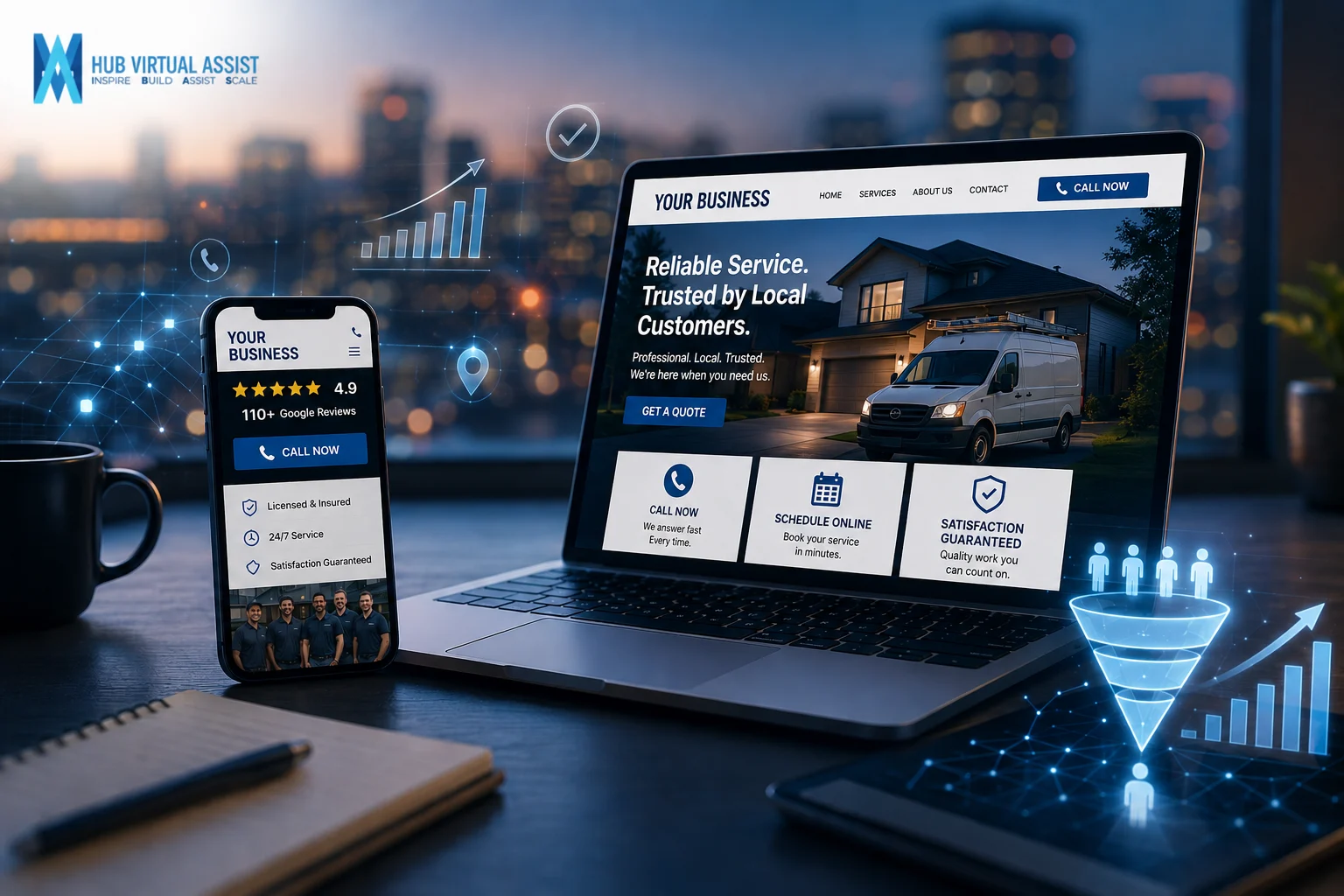
- Google review count and rating — “⭐ 4.9 Stars | 110+ Google Reviews” carries more weight than any marketing copy you’ll write
- Licensing and insurance badges — Display your license number and a “Licensed & Insured” badge visually
- Years in business — “Serving [City] since 2011” is credible and specific
- Response time guarantees — “We call back within 30 minutes” is a commitment that builds trust immediately
- Before/after photos — Real job photos outperform stock photography every time
- Warranties — If you back your work, say so explicitly and put it near the CTA
Avoid vague statements like “We pride ourselves on quality work.” That’s what every business says. Show the reviews. Show the photos. Show the guarantee. That’s what builds trust signals on a website.
6. Form Optimization for More Leads
Forms are where leads go to die on most local business websites. Too many fields. Bad mobile UX. No confirmation message. Visitors fill halfway out and bail.
Form optimization for leads means removing every obstacle between someone deciding to contact you and actually completing the action.
Rules for forms that convert:
- Fewer fields = more submissions. Name, phone number, and service type is enough for a quote request. Every additional field reduces completion rate.
- Set expectations. “We’ll call you within 2 hours” right below the submit button dramatically increases completions.
- Confirmation matters. After submission, redirect to a thank-you page or show a clear inline confirmation. “Got it — we’ll be in touch shortly” tells the visitor the action worked.
- Label fields clearly. Don’t rely on placeholder text alone — labels should stay visible above the field.
- Use single-column layouts on mobile. Multi-column forms are a nightmare on phones.
One more thing: make sure your forms are actually sending. It sounds obvious, but broken contact forms are one of the most common and costly conversion leaks we find in local business websites. Test yours right now.
Frequently Asked Questions
What is conversion optimization for local businesses?
Website conversion optimization (CRO) for local businesses is the process of improving your website so more visitors take a specific action — calling, submitting a form, booking an appointment, or requesting a quote. Unlike national e-commerce CRO, local CRO focuses on lead actions: phone calls and form fills, not purchase completions.
How do I measure CRO success for a local website?
Track conversion rate by page — the percentage of visitors who complete a lead action. Also track cost-per-lead if you’re running paid traffic. Baseline metrics first, then measure changes after each optimization. Even a 1–2% lift in conversion rate across high-traffic pages can mean dozens of additional leads per month.
Should I prioritize phone calls or form submissions?
For most local service businesses, phone calls convert at a higher rate and close faster than form submissions. Prioritize click-to-call CTAs above the fold and on mobile. That said, forms matter for after-hours lead capture — someone who finds you at midnight and can’t call needs a form. Run both and track which drives more qualified leads for your specific business.
Does page speed really improve conversion rates?
Yes — significantly. Google’s data shows that as page load time increases from one to three seconds, the probability of a visitor bouncing increases by 32%. For local businesses where most traffic is mobile, slow pages directly reduce lead volume. Speed optimization and conversion rate optimization are the same problem.
What is the biggest ROI move in local CRO?
For most local business websites, the highest-ROI improvement is making the phone number click-to-call and placing a clear CTA above the fold on every service page. It requires no redesign, no new content, and can be done in an afternoon. After that, adding Google review counts near CTAs is the fastest trust-signal win.
How many pages should I create for local landing page optimization?
Start with your top three services in your primary market area, then expand. If you serve multiple cities, create dedicated pages for each service + city combination that drives meaningful search volume. Thin pages with no real content won’t rank or convert — each page needs at minimum 400–600 words of locally relevant content.
Do trust signals really affect conversions that much?
Dramatically. For local service businesses — where a stranger is entering someone’s home or property — trust is the primary barrier to conversion. An A/B test showing a Google review count near a CTA vs. no review count routinely shows 15–30% lift in form submissions. Display your rating, your reviews, and your credentials where they can’t be missed.
What’s the difference between CRO for local businesses vs. national e-commerce?
Local CRO optimizes for lead actions (calls, forms, bookings) rather than purchase completions. The buying journey is shorter — a homeowner searching for emergency HVAC repair is ready to act now. That means local CRO emphasizes trust signals, fast load times, click-to-call, and above-the-fold CTAs more than funnel sequencing or cart abandonment tactics.
Ready to Turn Your Website Into a Lead Machine?

Driving traffic to a site that doesn’t convert is like filling a leaky bucket. These six strategies — auditing your baselines, optimizing for mobile speed, sharpening your CTAs, building dedicated local landing pages, adding trust signals, and fixing your forms — are how local service businesses stop leaking leads.
Get the Local CRO Optimization Checklist – A step-by-step audit tool you can run on your own site today.
Book a CRO Audit for Your Website – We’ll review your site’s conversion paths, identify your biggest leaks, and give you a prioritized action plan.
Need help with local SEO strategy or building conversion-ready landing pages?
Hub Virtual Assist 📞 (601) 281-8482 📧 admin@hubvirtual.net 📍 6001-21 Argyle Forest Blvd. #352, Jacksonville, FL 32244
Hub Virtual Assist builds lead generation systems for local service businesses — from plumbers and HVAC contractors to cleaning companies and general contractors. We specialize in web design to convert, rank and rent strategy assets, and full CRO audits. Our goal is simple: more leads from the traffic you already have.